
Microsoft’s AI is Getting a Makeover: New Features in Paint, Snipping Tool, and Notepad

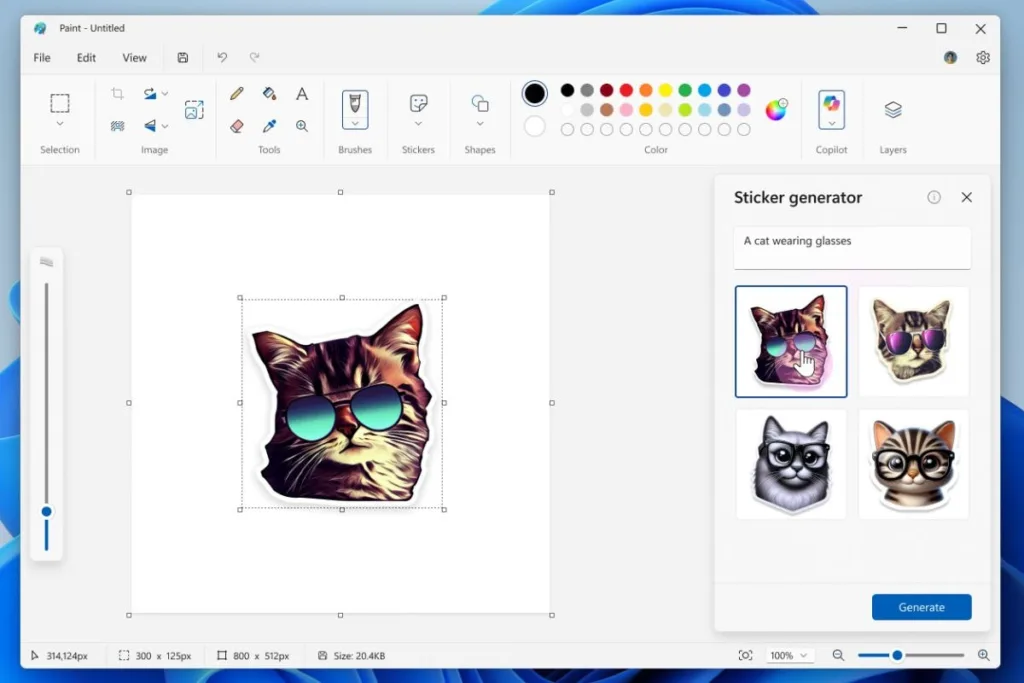
Microsoft Unleashes AI Power in Everyday Windows Apps
Microsoft is stepping up its AI game, rolling out exciting new features powered by artificial intelligence in some of your favorite Windows 11 apps like MS Paint, Snipping Tool, and Notepad. These features are currently being tested with Windows Insiders in the Canary and Dev channels, offering a sneak peek into the future of these familiar tools.
MS Paint Gets a Creative Boost with Stickers and Object Selection
MS Paint is getting a whole lot more fun and efficient with two new AI-powered features. First up is a **Sticker Generator**, allowing you to create custom stickers by simply typing in text descriptions. Imagine describing your dream sticker, and Copilot brings it to life in four unique variations. You can then choose your favorite, copy it, save it, or add it directly to your canvas.
The second new feature, **Object Select**, uses AI to intelligently isolate individual elements in your images. Need to edit a specific part of a photo? Just hover your cursor over it, and Object Select will do the heavy lifting, letting you edit that element separately.
Snipping Tool Gets Smarter with Perfect Screenshots and Colour Picker
The Snipping Tool is getting a makeover too, with two new features designed to make your screenshots sharper and more precise. **Perfect Screenshot** uses AI to automatically resize your screenshot, capturing only the content you select. No more resizing or cropping after the fact!
If you need to know the exact color code of a specific area on your screen, the new **Colour Picker** is your best friend. Just select the tool, choose your desired color format (HEX, RGB, or HSL), and move your cursor to the area you want to analyze. Zoom in for even greater precision.
Notepad Gets a Write Feature for AI-Powered Text Generation
Even Notepad is getting in on the AI action with a new feature called **Write**. This feature allows you to use AI to generate new text content directly within Notepad. Stuck on what to write next? Just place your cursor where you want to add text, use the right-click menu or Copilot menu to access Write, and type in a prompt describing what you need. Copilot will then generate text based on your prompt, which you can then edit, refine, or discard as needed.
To use Write in Notepad, you’ll need to be signed into your Microsoft account. Keep in mind, this feature uses credits, similar to other AI features in Windows 11. Free tier users get 15 credits per month, while Microsoft 365 Personal and Family subscribers receive 60 credits per month. Copilot Pro subscribers enjoy unlimited credits.


